

Introduction
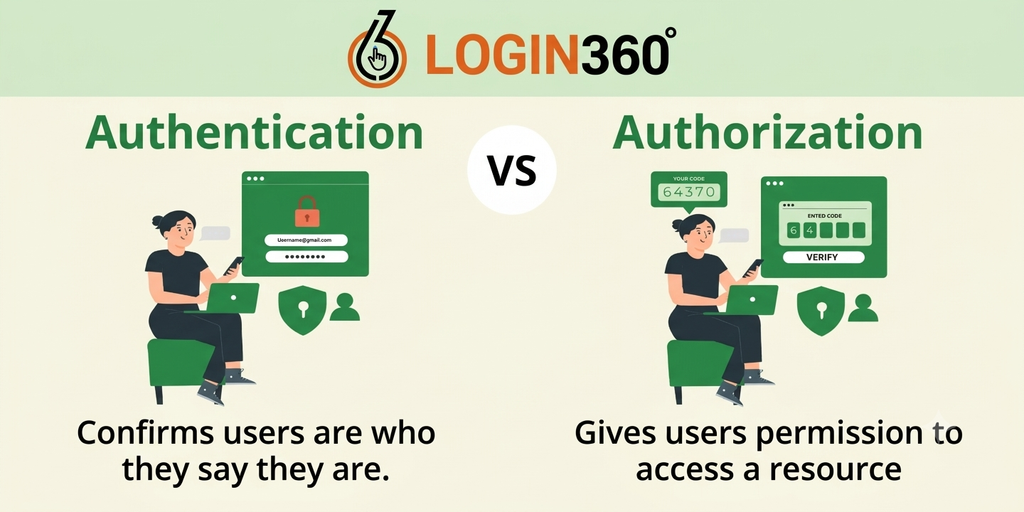
Authentication and Authorization are among two of the core security aspects that any full stack developer should know how to implement properly when creating modern-day web applications. Whether it is an e-commerce website or a banking app, social media platform or business management system, an application must be able to provide proper protection of the user data and restrict access to certain resources to those users who have permission to use them. Although the above two security terms are related to one another, they do different jobs within an application.On the one hand, authentication implies verification of the user identity while on the other hand, authorization implies restrictions on what actions the authenticated user may perform. Therefore, knowledge of the main differences between the above terms is crucial for any developer who wants to create a secure and user-friendly application.
What Is Authentication?
Authentication is the verification of whether a user is who he/she claims to be. Whenever a user supplies his/her login credentials to an application, there should be a need for the validation of such credentials prior to gaining access.A typical scenario involves the provision of a username and password by a user where the application validates whether these credentials are valid for the account. Modern applications may authenticate using any of the following means:
- Username and password
- Email and password
- One-time password (OTP)
- Multi-factor authentication
- Social login
- Biometrics
- Authentication tokens
Authentication is typically the initial step of security that users experience with an application.
What Is Authorization?
Authorization occurs after the authentication process. The program having verified the identity of the user then needs to know what that particular user can do.Take for instance an online learning platform where the system recognizes three kinds of users: students, instructors, and administrators. A student may be authorized to see courses and upload assignments, an instructor to create courses and grade assignments, and an administrator to manage users and configure settings among others.
The authorization process may allow a user to:
- See certain pages
- Access certain data
- Create or remove certain content
- Modify certain account details
- Manage certain users
- Access certain administration functionalities
- Use the API for particular functions
Authentication and Authorization: Understanding the Difference
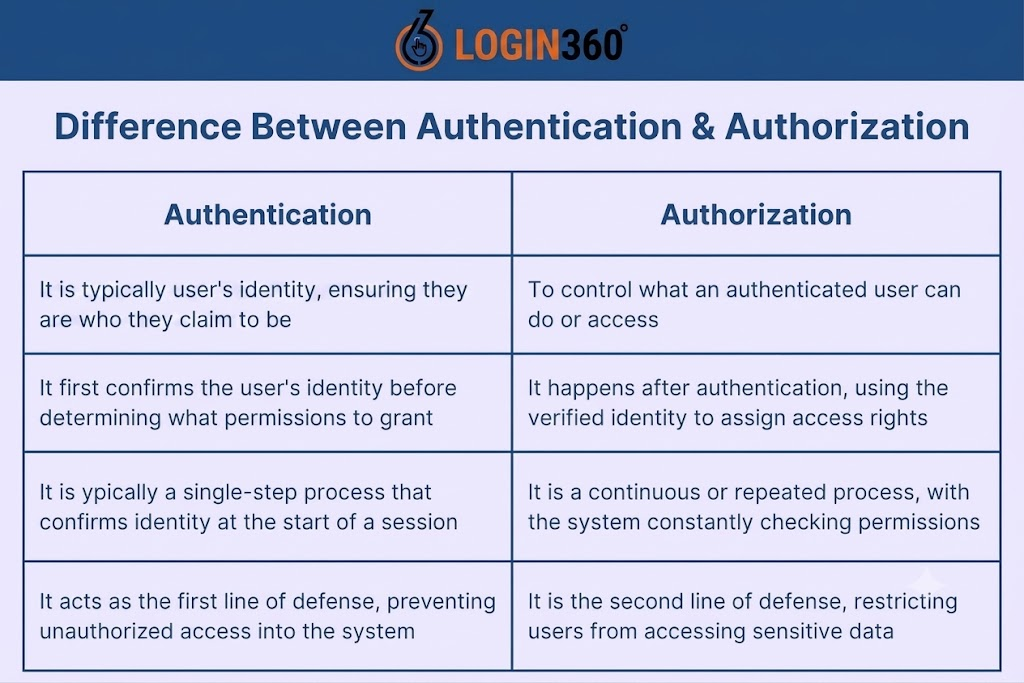
Authentication and Authorization are very close, each deals with different aspects of application security. In other words, authentication includes verification of who the user is. The idea of authorization includes identification of the rights of the identified user while accessing particular parts of the application. Thus, if an individual signs up for an application aimed at managing employees, then, first of all, the application recognizes his or her identity. Secondly, the application determines what kind of an individual he or she is: either an employee, a manager or an administrator and grants him or her necessary rights. For example, an employee will be able to work only with his or her personal data, while a manager will have the access to the data of his or her team, and an administrator will get access to user management and configurations. It is worth noting that signing in the application does not necessarily mean that you will be able to use all pages of the system.
How Authentication Works in a Full Stack Application
Authentication and Authorization consist of various parts that work together in order to verify the identity of the user and control the access to the application’s resources. First of all, the user’s login credentials have to be obtained from the frontend and sent to the backend. Once the backend gets and verifies these credentials according to the saved data about the account, the backend generates the authentication session or authentication token that is required for maintaining the authenticated state and making requests. Never store users’ passwords in plain text form in the database; they have to be hashed in order to ensure higher level of security. It is the reason why full-stack developers do not only need to be able to create a login form but also have knowledge of Authentication and Authorization as well as of maintaining user credentials and authentication state.
Common Authentication Methods
For Authentication and Authorization, web applications need to make sure that the user is not able to access the data that is not his or hers. In general, there are multiple techniques to perform the task, starting with password-based authentication, ending with token-based authentication via JWTs, MFA, and OAuth or social login through external identity providers. Authentication makes sure that the user is truly this user and not an impostor. On the other hand, authorization is responsible for the actions that this user is allowed to perform. For example, a regular student is supposed to see her or his own profile and study material, while an admin is going to have more permissions, like managing users and settings of the app. Therefore, authorization must be performed by the backend and not by the frontend, since the frontend can be bypassed. One of the common practices in the field is role-based access control (RBAC).
Authentication and Authorization in APIs
APIs have become crucial components in the world of full stack applications since they act as the means through which the frontend and the backend communicate and interact to pass data between each other. In cases where the frontend requests access to an API that is secured, the backend should authenticate and authorize the user before giving him access. For instance, in some instances, the user is only allowed to see his profile while the admin is allowed to access details of all users. This makes Authentication and Authorization an integral part of API security. Some of the security best practices that should be observed include securely storing passwords, securing authentication and sessions, using HTTPS, least privilege principle, user input validation, among others.
Common Mistakes in Authentication and Authorization
There are a number of errors that can be made by a software developer when working on the protection of an application. One of the mistakes that are commonly made is to confuse authentication and authorization. Simply being able to log in to an application does not necessarily mean that one has all permissions to access all resources and do anything within the app. The second common mistake made by developers is to rely overly on frontend security measures. Hiding an administrative feature button from normal users does not mean that the underlying API or backend is protected. Insecurity issues may appear due to improper password policy, insecure authentication tokens, weak session management, insufficient access control, and inadequate input validation. The developers must not use old security approaches and constantly update application dependencies. Therefore, security testing and testing of access permissions must be an integral part of the development process to prevent users from accessing those resources and features that they are authorized to u
Why Full Stack Developers Need to Learn These Concepts
A full stack developer has various layers in an application that they need to work on, such as front end, back end, APIs, and databases. This means that for there to be security in an application, the developer should know about the interrelated nature of authentication and authorization. The developer will be able to develop applications that allow the users to log in safely, access the required resources, and do the authorized actions only. It is necessary for developers to understand Authentication and Authorization in terms of security while creating business applications due to the existence of various sensitive resources in the application.
Conclusion
Authentication and Authorization are vital elements for any secure full stack application development. The process of authentication identifies the user and the authorization process grants the user the permission to access certain resources and perform certain actions. Even though the two elements are closely related, they serve two distinct needs.It is critical for full stack developers to know about these elements in order to create a login system, API, dashboard, user management features and any other application that works with sensitive data. There are also some security practices that developers need to apply: protecting credentials, using HTTPS, applying least privilege principle, securing session, input validation and performing authorization on the backend side.With increasing integration of applications and their data driven nature, it is becoming increasingly important for developers to have a solid knowledge of security matters.
Build Your Full Stack Development Skills with Login360
Being able to learn about authentication and authorization is one important way to become a full stack developer, but experience is another. Gain the skills you need through real projects and professional training from Login360.
Get started with Login360 and take the next step in your full stack developer journey.Authentication and Authorization consist of various parts that work together in order to verify the identity of the user and control the access to the application’s resources. First of all, the user’s login credentials have to be obtained from the frontend and sent to the backend. Once the backend gets and verifies these credentials according to the saved data about the account, the backend generates the authentication session or authentication token that is required for maintaining the authenticated state and making requests. Never store users’ passwords in plain text form in the database; they have to be hashed in order to ensure higher level of security. It is the reason why full-stack developers do not only need to be able to create a login form but also have knowledge of Authentication and Authorization as well as of maintaining user credentials and authentication state.
