

Table of Contents
Introduction
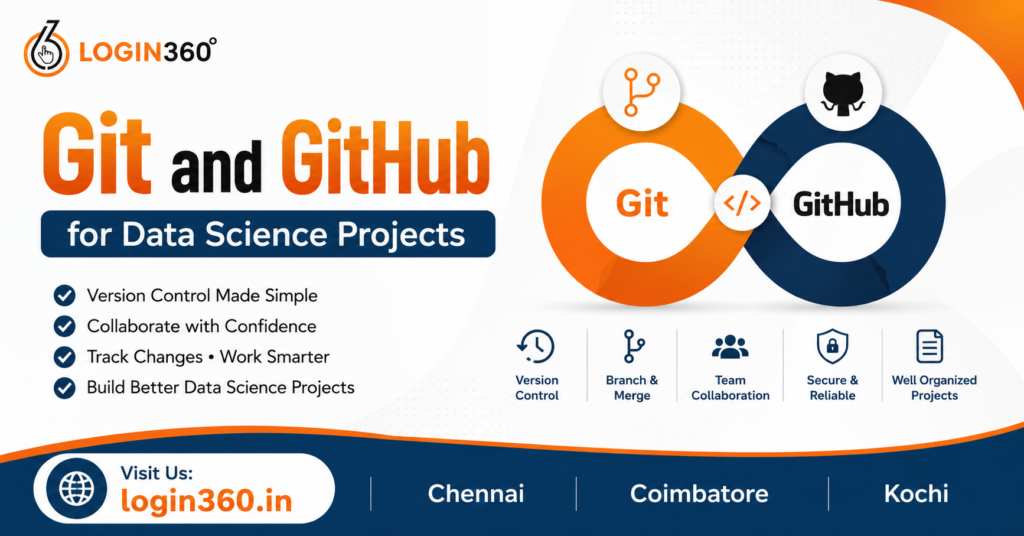
Version control is one of the key approaches that has gained importance in modern software development and data science project management. Data scientists use a wide range of scripts, notebooks, datasets, visualizations, and machine learning models. The lack of systematic approach to tracking changes can lead to confusion, particularly when several individuals contribute to the same repository. Git allows you to control all modifications made to files in a project. It includes details about the author of change, the time when it was made and its description using commit messages. It allows users to easily revert to any previous version of a project or experiment with modifications without compromising the main project. GitHub is used alongside Git in order to provide an online platform for storage and management of repositories. It allows collaboration via pull requests, issues, project boards and discussions.
What is Git?
Git is a distributed version control system designed to track changes in files over time. It allows developers and data scientists to maintain complete control over project history while supporting multiple contributors working simultaneously. Unlike traditional file management methods, Git stores snapshots instead of repeatedly saving duplicate files. This approach makes version tracking both efficient and reliable.
Key features of Git include:
- Version Control
- Every change is recorded permanently, allowing users to return to earlier versions whenever necessary.
- Branching
- Developers can create separate branches for testing new features or experimenting with machine learning models without affecting the primary codebase.
- Merging
- Once testing is complete, branches can be merged into the main project while preserving all updates.
- Offline Functionality
- Since Git is distributed, users can commit changes without an internet connection and synchronize later.
- Complete Project History
- Every modification remains documented, making debugging and collaboration much easier.
These capabilities make Git an essential foundation for managing data science projects effectively.
What is GitHub?
GitHub is a web-based repository hosting service based on Git repositories. Git is the tool responsible for version control at a local level; GitHub takes it one step further by offering cloud storage, collaboration services, and project management functionalities. For individual users, GitHub serves as a portfolio where data science projects developed can be shared with potential employers and customers. For groups of developers, it offers a central place where team members can review code, suggest changes, and plan their development processes. In addition, GitHub also offers integrations with automation tools that run tests and deploy apps. Public repositories allow for collaborative open-source software development, whereas private repositories enable organizations to securely manage confidential projects.
Setting Up Git for Data Science
Before using Git, it must be installed and configured correctly on your computer. Setting up Git only takes a few minutes, but it creates the foundation for professional project management.
Basic setup steps include:
- Install Git
- Download and install Git for Windows, macOS, or Linux.
- Configure User Information
- Set your username and email so every commit records your identity.
- Initialize a Repository
- Use Git to create a repository inside your project folder.
- Connect to GitHub
- Link the local repository to an online GitHub repository for cloud synchronization.
- Verify Configuration
- Test the installation by checking Git’s version and repository status.
Once completed, your environment is ready for managing data science projects with professional version control.
Essential Git Commands Every Data Scientist Should Know
Learning how to use Git commands will lead to more efficient working. Even though there are hundreds of Git commands available, very few are needed when working on data science projects. Init is used to create a new repository, while git status identifies modified files that need to be committed. Git add is used to stage the files for committing them, while git commit permanently saves the changes with relevant comments. Commands such as git push will help commit your work and upload it to your remote repository on GitHub, while git pull helps get the latest information from other members of your team.
Managing Data Science Projects with GitHub
GitHub offers far more than cloud storage. It provides structured project management features that simplify organizing complex data science projects.
Effective repository management includes:
- Create Meaningful Repository Names
- Use descriptive names that clearly represent the project’s purpose.
- Write Comprehensive README Files
- Explain project objectives, installation steps, dataset information, and usage instructions.
- Use .gitignore
- Exclude unnecessary files such as temporary outputs, cache files, and sensitive credentials.
- Organize Folder Structure
- Separate datasets, notebooks, scripts, documentation, and trained models into dedicated folders.
- Maintain Documentation
- Regularly update documentation so future collaborators understand the project workflow.
Well-organized repositories make projects easier to maintain and significantly improve collaboration.
Collaboration Using GitHub
Data science projects of the current age do not require one contributor to be involved. This project will have input from data engineers, data analysts, machine learning engineers, and business people. There are several collaboration options on GitHub that ensure every contributor makes contributions individually and maintains the quality of the codebase. Branching is a feature that enables parallel development to ensure that experiments do not interfere with the code until they are properly tested. Pull requests can be used to suggest a certain code change, which will later be merged in the master code base. Code review ensures discussion and improvement in the quality of the code by eliminating errors. GitHub Issues will be used to document any bug, request for features, or enhancement in the future.
Best Practices for Git and GitHub in Data Science
Following best practices helps maintain clean, organized, and scalable data science projects.
Recommended practices include:
- Commit Frequently
- Save meaningful progress instead of waiting until large changes accumulate.
- Write Clear Commit Messages
- Describe what changed and why.
- Avoid Uploading Large Datasets
- Store large files using specialized storage solutions when possible.
- Protect Sensitive Information
- Never upload passwords, API keys, or confidential datasets.
- Use Branches for Experiments
- Keep experimental work separate from production-ready code.
- Review Code Before Merging
- Conduct peer reviews to improve quality and reduce mistakes.
- Maintain Consistent Documentation
- Update README files and comments as the project evolves.
These habits improve long-term maintainability and increase team productivity.
Common Challenges and How to Avoid Them
Despite Git being very useful, people who are new in data science face certain challenges. They include merge conflicts that arise when several people are editing one portion of a code at once. It is necessary to know about branching and to pull the latest version of code to avoid this problem. People commit unnecessary things into their repositories. Committing a dataset, a virtual environment or notebook output can be easily avoided with .gitignore file. Users might inadvertently overwrite their work due to misunderstanding of how certain commands work. This problem can be solved if users create branches before experimenting. Repositories can become slow due to large datasets being stored. Instead of storing big files within Git repositories, it is recommended to use external storage. The last but not least challenge for beginners is the lack of documentation in their repositories.
Conclusion
Git and GitHub have become crucial software for effective management of any data science project. With their help, one may ensure reliable version control, ease collaboration, enhance organization and safety of work from loss. Regardless of whether you analyze data sets, develop predictive models or deploy machine learning algorithms, Git helps you monitor all changes made with confidence, while GitHub provides you with a professional tool for sharing and collaborating with others. With the knowledge of basics of Git and its key commands, adherence to best practices, and effective repository organization, anyone can form proper developer habits, which will serve well for even enterprise level projects.