

Table of Contents
Introduction
Security is one of the most important aspects of modern web application development. Every application that handles user accounts, personal information, payments, or business data needs proper security measures. This is where Authentication and Authorization play an important role. These two concepts help developers protect applications, manage user access, and prevent unauthorized activities.
For anyone learning full stack development, understanding application security is an essential technical skill. A full stack developer works with both frontend and backend technologies, databases, and APIs. Therefore, knowing how to verify user identities and control access to application resources is necessary for building secure web applications.
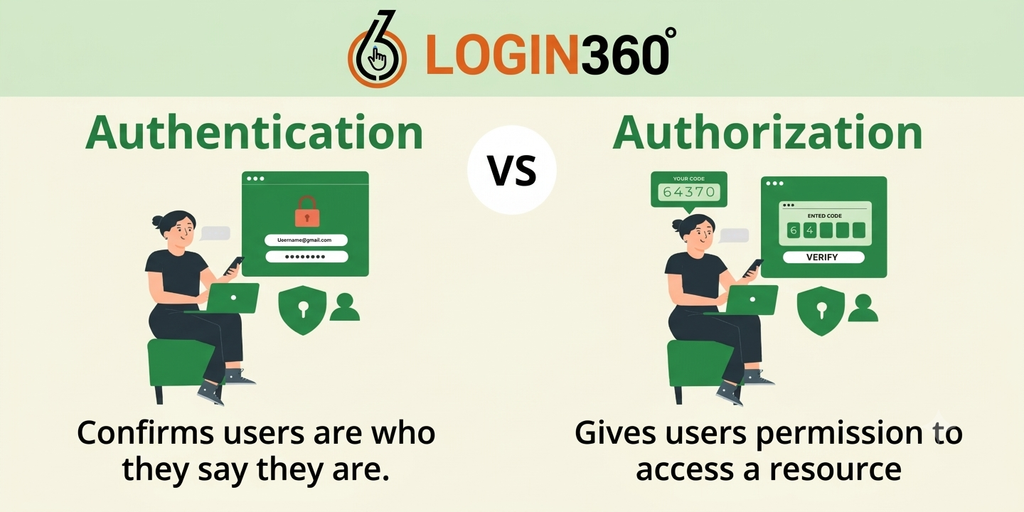
Although Authentication and Authorization are closely related, they perform different functions. Authentication verifies who a user is, while authorization determines what that user is allowed to access or perform. Understanding both concepts helps developers create reliable applications and provide a safer experience for users.
What Is Authentication?
Authentication is the process of verifying the identity of a person who wants to access an application or website. It helps the system confirm whether someone is actually the user they claim to be.
Authentication is commonly used in applications that provide user accounts, online shopping, banking services, educational platforms, and employee management systems.
Some common authentication methods include:
- Username and Password: Users enter their registered username or email address and password to access an account.
- Multi-Factor Authentication (MFA): Users provide additional verification, such as a one-time password (OTP), along with their primary login credentials.
- Biometric Authentication: Users verify their identity using fingerprints, facial recognition, or other supported biometric methods.
- One-Time Password (OTP): A temporary verification code is sent through an approved channel, such as an authenticator application or registered phone number.
- Social Login: Users sign in through an identity provider such as Google or another supported platform.
What Is Authorization?
Authorization is the process of determining what an authenticated user is allowed to access or do within an application. After the system verifies a user’s identity, it checks the permissions assigned to that account.For example, consider an online learning platform with students, instructors, and administrators. Students may access their courses and learning materials, instructors may create and manage course content, and administrators may manage users and platform settings.
Some common authorization activities include:
- Allowing users to access specific pages and resources.
- Restricting access to administrative dashboards.
- Controlling who can create, edit, or delete information.
- Managing permissions for different user roles.
- Protecting confidential business and customer information.
Difference Between Authentication and Authorization
| Authentication | Authorization |
|---|---|
| Verifies the identity of a user. | Determines the permissions of a user. |
| Answers the question, “Who are you?” | Answers the question, “What can you do?” |
| Usually happens before authorization. | Usually follows successful authentication. |
| Uses passwords, OTPs, biometrics, and other credentials. | Uses roles, permissions, and access control policies. |
| Confirms the user’s identity. | Controls access to application resources. |
Both processes are necessary to create a secure application. Authentication without authorization may give users excessive access, while authorization without a reliable identity verification process cannot correctly determine whose permissions should be applied.
Why Are Authentication and Authorization Important in Full Stack Development?
Security is a major responsibility of full stack developers because they work with different parts of an application. They must ensure that user information is protected and that application features are available only to the appropriate users.Authentication and Authorization help developers achieve several important security goals.
- Protect User Information: Web applications often store personal information, contact details, account information, and other sensitive data. Proper security measures help prevent unauthorized individuals from accessing these details.
- Control User Access: Different users require different levels of access. For example, an administrator may need access to user management features, while a regular customer only needs access to their own account.
- Improve Application Security: Proper identity verification and access control reduce the risk of unauthorized activities. They also help protect important application resources from misuse.
- Support Business Requirements: Businesses often have different departments, employees, customers, and administrators. Access control allows applications to provide suitable permissions according to each user’s responsibilities.
- Build User Trust: Users expect their personal information and accounts to remain secure. Reliable security measures help businesses build trust and provide a better user experience.For these reasons, understanding Authentication and Authorization is important for anyone planning to develop secure full stack applications.
Common Authentication Methods
- Password-Based Authentication: This is one of the most common methods used in web applications. Users register with an email address or username and create a password. During login, the application verifies the submitted credentials against securely stored password information.
- Session-Based Authentication: In session-based authentication, the server creates a session after a user successfully logs in. A session identifier is usually stored in a browser cookie and sent with subsequent requests. The server uses it to recognise the authenticated user.
- Token-Based Authentication: Token-based authentication uses a token to represent an authenticated session or access permission. After successful login, the application issues a token that the client sends with subsequent requests. JSON Web Tokens (JWT) are a commonly used token format.
- Multi-Factor Authentication: Multi-factor authentication adds another verification step to the login process. For example, users may need to enter a password and approve a login using an authenticator application. This provides an additional layer of account protection.Choosing an appropriate method depends on the application architecture and security requirements. Developers should use well-maintained authentication libraries and established security practices rather than creating their own security mechanisms without proper knowledge.
Common Authorization Methods
- Role-Based Access Control (RBAC): Role-Based Access Control assigns permissions according to user roles. For example, an application may have administrator, manager, employee, and customer roles. Each role receives access to specific features.
- Attribute-Based Access Control (ABAC): Attribute-Based Access Control determines access using different attributes, such as the user’s department, location, resource ownership, or the type of operation being requested. It is useful for applications with more complex permission requirements.
- Permission-Based Access Control: In this approach, individual permissions are assigned to users or roles. For example, one user may have permission to view and edit records, while another user may only have permission to view them.
The right authorization method depends on the application’s requirements. Regardless of the approach, developers should verify permissions on the server before allowing access to protected resources.
How Authentication and Authorization Work Together
Authentication and Authorization work together to provide a secure application experience. Authentication first verifies the user’s identity, and authorization checks whether that user has permission to perform a requested action.
Consider a simple login process:
- Step:1: A user opens a web application and enters their login credentials.
- Step:2: The frontend sends the login request securely to the backend.
- Step:3: The backend verifies the credentials against the stored account information.
- Step:4: If the credentials are valid, the application establishes an authenticated session or issues an appropriate token.
- Step:5: The user requests a protected page or application feature.
- Step:6: The backend checks the user’s identity and verifies whether the requested action is permitted.
- Step:7: If access is allowed, the application returns the requested information. Otherwise, it rejects the request.
Role of Frontend and Backend in Security
- Frontend Responsibilities: The frontend provides the login forms, registration pages, password reset interfaces, and user dashboards. It also displays or hides certain features based on the user’s role and permissions.For example, an administrator may see a user management option, while a regular customer may not see it.However, hiding a button or page element does not provide complete security. Users can still send requests directly to backend APIs. Therefore, frontend checks should only support the user experience and must not replace server-side authorization.
- Backend Responsibilities:The backend is responsible for verifying credentials, managing sessions or tokens, and checking permissions before processing protected requests.It also communicates with databases to retrieve user information and apply access rules. Every protected API endpoint should perform the necessary authorization checks before returning information or modifying data.Both frontend and backend security measures must work together to protect the complete application.
Best Security Practices Every Developer Should Follow
Implementing Authentication and Authorization correctly requires more than adding a login page. Developers should follow reliable security practices throughout the development process.
- Store Passwords Securely: Never store user passwords as plain text. Use established password-hashing algorithms such as Argon2id or bcrypt with appropriate configuration to protect stored credentials.
- Use HTTPS: Always use HTTPS to protect information transmitted between the browser and server. This helps prevent attackers from intercepting sensitive login information.
- Implement Multi-Factor Authentication: Use MFA for sensitive accounts and important operations wherever appropriate. An additional verification step can improve account security.
- Apply the Principle of Least Privilege: Give users only the permissions they need to perform their tasks. Avoid providing unnecessary administrative access.
- Validate User Input: Validate information received from users on the server side. Proper validation helps prevent unexpected input from causing security problems.
- Manage Sessions and Tokens Securely: Use secure session management practices, protect authentication tokens, set appropriate expiration periods, and invalidate sessions when users log out.
- Check Permissions on the Backend: Never rely only on frontend restrictions. Verify permissions on every protected backend request to prevent unauthorized access.
- Keep Dependencies Updated:Regularly update frameworks, libraries, and security packages to reduce exposure to known vulnerabilities.
Common Security Mistakes to Avoid
- Storing passwords in plain text instead of using secure password hashing.
- Allowing users to access administrative pages without permission checks.
- Relying only on frontend validation for security.
- Using weak or predictable authentication tokens.
- Forgetting to expire or invalidate sessions.
- Giving every user unnecessary permissions.
- Exposing sensitive information through API responses.
- Failing to test access control rules.
Real-World Example of Authentication and Authorization
Consider an e-commerce application that allows customers, sellers, and administrators to use the same platform.When a customer enters their email address and password, the application verifies the credentials. This is authentication.
After logging in, the customer can view products, add items to the shopping cart, place orders, and access their own order history. However, the customer cannot modify another user’s account or access the administrator dashboard. These restrictions are managed through authorization.
A seller may have permission to add products and manage their own inventory, while an administrator may have access to manage users, products, and platform settings.
This example shows how Authentication and Authorization work together to provide different access levels within a single application.
Conclusion
Authentication and Authorization are essential security concepts that every full stack developer should understand. Authentication verifies the identity of users, while authorization determines what they can access and which actions they can perform.
By learning different authentication methods, understanding access control models, and following secure development practices, developers can build applications that protect user information and prevent unauthorized activities.
Practical knowledge of Authentication and Authorization also helps beginners understand how frontend, backend, databases, and APIs work together in real-world applications. Consistent practice and hands-on projects can help you develop the skills needed to create secure and reliable web applications.
Learn Full Stack Development with Login360