

Introduction
If you have been thinking about a career in UI and UX design, there is a good chance one question keeps coming back — with AI tools now generating designs in seconds, will this skill still matter in a few years?
It is a fair worry. Tools that can generate a homepage layout or a colour palette in seconds did not exist a few years ago. Now they are everywhere. Naturally, anyone considering a design career in 2026 wants to know whether they are walking into a shrinking field or a growing one.
This guide gives you an honest answer — not a sales pitch, not blind panic. We will look at what AI tools can actually do today, what they cannot do, how the role of a UI and UX designer is changing rather than disappearing, and what this means for someone starting out in Chennai right now.
What is UI and UX Design — A Quick Refresher
Before getting into the AI question, it helps to be clear about what UI and UX design actually involves, because the two are often confused.
UI Design (User Interface) is about how a product looks — the colours, typography, buttons, spacing, icons, and visual layout. It is the part of the product you see and tap.
UX Design (User Experience) is about how a product works — the flow a user goes through, how easy it is to complete a task, how intuitive the navigation feels, and whether the product solves the user’s problem smoothly.
A good analogy: if a mobile app were a building, UI is the interior design — how it looks and feels. UX is the architecture — how people move through it, where the doors are, whether the layout makes sense.
Both skills work together, and most UI and UX design roles today expect familiarity with both sides.
What AI Tools Can Actually Do Today in Design
Let us be honest about this — AI design tools have genuinely improved, and pretending otherwise would not help anyone.
- Generating layout variations quickly Tools can now produce multiple layout options for a landing page or app screen in seconds, based on a simple text prompt.
- Creating design assets Icons, illustrations, background images, and even basic logos can be generated almost instantly using AI image tools.
- Writing basic UX copy Button labels, microcopy, and placeholder text can be drafted by AI tools quickly.
- Speeding up wireframing Some tools can convert a rough sketch or description into a digital wireframe automatically.
- Automating repetitive tasks Resizing assets for different screen sizes, generating colour palettes, and creating design system components are all faster with AI assistance.
This is real, and it is useful. A skilled designer using these tools can work significantly faster than one who does not.
What AI Tools Cannot Do — The Human Edge
Here is where the picture becomes clearer — and more reassuring.
- Understanding real users AI tools do not interview users. They do not sit in on usability testing sessions, watch someone struggle with a form, or notice the moment a user gets confused and abandons a task. UX research — talking to real people, observing real behaviour — remains a deeply human skill.
- Making judgment calls based on business context A design decision is rarely just “what looks good.” It involves understanding the business goal, the brand identity, technical constraints, accessibility requirements, and user needs — all at the same time. AI can suggest options, but someone has to decide which option actually fits the situation.
- Solving genuinely new problems AI tools are trained on existing patterns. When a product faces a problem nobody has solved before — a new kind of interaction, an unusual user need, a completely new product category — a human designer is the one figuring out the solution from scratch.
- Collaborating with teams Design does not happen in isolation. Designers work closely with product managers, developers, and stakeholders — discussing trade-offs, presenting ideas, defending decisions, and adjusting based on feedback. This collaborative, communicative part of the job is not something AI participates in.
- Accessibility and ethics Designing for users with disabilities, ensuring a product does not manipulate users through dark patterns, and making genuinely inclusive design decisions require human empathy and ethical judgment that AI tools simply do not have.
How the UI and UX Design Role is Changing — Not Disappearing
The honest way to frame this is that the role is evolving, the same way it evolved when design moved from print to digital, and again when it moved from desktop to mobile.
- From “creator of everything” to “director and curator” Designers increasingly use AI tools to generate first drafts and variations quickly, then apply judgment to refine, adjust, and select what actually fits the product and the users. The skill shifts from producing every pixel manually to making strong creative and strategic decisions faster.
- More time for research and strategy As AI tools handle some of the repetitive production work, designers who use this time well can spend more of it on user research, testing, and strategic thinking — the parts of the job that create the most value.
- Higher expectations for design quality When basic design work becomes faster and cheaper to produce, the bar for what counts as “good design” rises. Designers who can think strategically and solve real user problems become more valuable, not less.
- New collaboration patterns with AI Just as designers learned to work with Figma, prototyping tools, and design systems, they are now learning to work alongside AI tools — prompting them effectively, evaluating their output critically, and combining AI-generated elements with original thinking.
UI and UX Design Skills That Matter Most in the AI Era
If you are starting out in 2026, here is where to focus your learning to build a career that holds up well over time.
- User Research Fundamentals Learning how to plan and conduct user interviews, run usability tests, and interpret research findings. This is one of the most AI-resistant skills in the entire field.
- Design Thinking and Problem Solving Understanding how to break down a vague business problem into a clear design challenge, and how to evaluate whether a solution actually works for users — not just whether it looks polished.
- Information Architecture Structuring content and navigation so that users can find what they need intuitively. This requires understanding how people think, not just how things look.
- Prototyping Tools — Figma and Beyond Figma remains the industry standard for UI and UX design work. Strong proficiency here, combined with an understanding of how to integrate AI plugins effectively, is a practical and valuable combination.
- Accessibility Design Designing for users with visual, motor, cognitive, or hearing impairments is both an ethical responsibility and an increasingly important business requirement, especially as companies face growing accessibility regulations.
- Communication and Presentation Being able to explain design decisions clearly — to developers, to business stakeholders, to clients — is a skill that becomes more valuable as collaboration across teams increases.
- Working with AI Tools as an Assistant, Not a Replacement Learning to use AI tools to speed up your workflow — for generating variations, exploring ideas quickly, and automating repetitive tasks — while applying your own judgment to the final output.
UI and UX Design Career Scope in Chennai — 2026
Chennai’s design job market has grown steadily as more product companies, startups, and digital agencies set up operations in the city. Companies are not just hiring designers who can “make things look nice” — they are hiring designers who understand users and can contribute to product decisions.
The roles available in Chennai today include UI Designer, UX Designer, Product Designer, UX Researcher, and Interaction Designer — with many companies expecting designers to be comfortable across UI and UX rather than narrowly specialised, particularly at the early career stage.
UI and UX Designer Salary in Chennai
Here is a realistic salary picture for Chennai based on current hiring trends:
| Experience Level | Average Annual Salary |
|---|---|
| Fresher (0–1 year) | ₹3 LPA – ₹4.5 LPA |
| Junior Designer (1–3 years) | ₹4.5 LPA – ₹7 LPA |
| Mid-level Designer (3–5 years) | ₹7 LPA – ₹12 LPA |
| Senior / Lead Designer (5+ years) | ₹12 LPA – ₹20 LPA |
Designers who build strong portfolios, demonstrate user research skills, and show that they can work effectively alongside AI tools tend to be positioned at the higher end of these ranges.
Is UI and UX Design Worth Learning in 2026?
Yes — and the reasoning is straightforward.
AI tools are changing how design work gets done, not whether design work is needed. Every product still needs someone who understands what users actually want, who can make decisions about how a product should look and function, and who can defend those decisions to a team.
What has changed is the starting point. A designer in 2026 who learns to use AI tools as part of their workflow — rather than ignoring them or fearing them — will likely be more productive and more valuable than a designer who tries to do everything manually the way it was done five years ago.
The career is not shrinking. The required skill set is shifting toward research, strategy, and judgment — areas where human designers have a clear and lasting advantage.
UI and UX Design Course at Login360 — Built for the Current Job Market
Login360’s UI and UX Design course in Chennai is structured to prepare students for exactly this landscape — covering both the foundational design skills employers expect and an awareness of how AI tools fit into a modern design workflow.
Course Fee: ₹19,999 onwards
What the Course Covers:
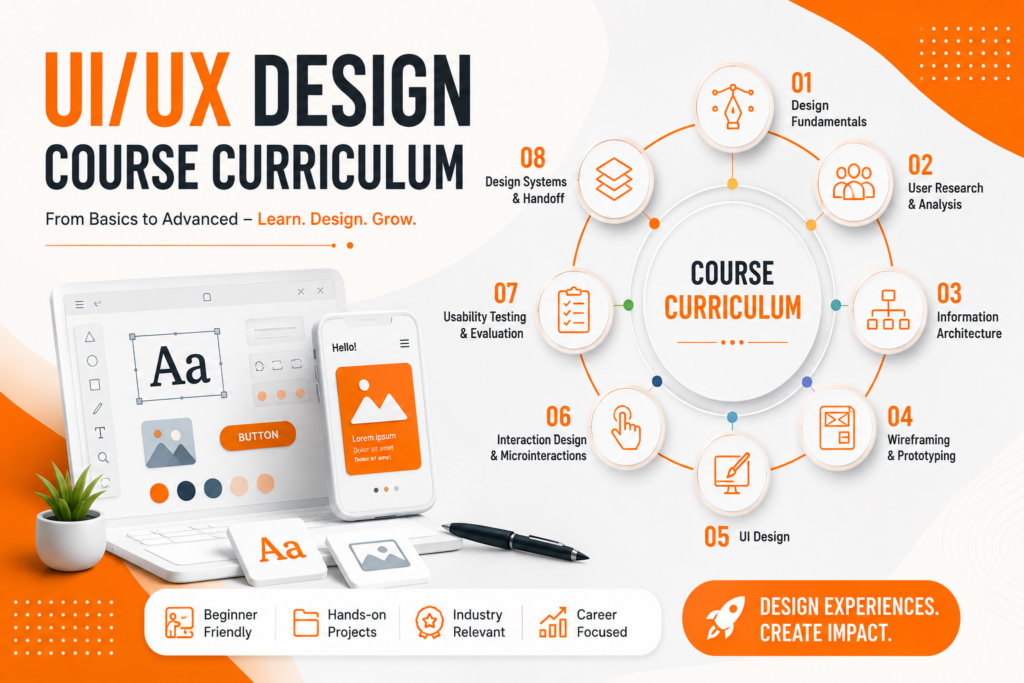
- Design Fundamentals Colour theory, typography, layout principles, visual hierarchy, and design systems.
- User Research and UX Principles User personas, journey mapping, usability testing basics, and information architecture.
- Figma — Industry Standard Tool Wireframing, prototyping, components, and collaboration features used by design teams across the industry.
- Mobile and Web Design Designing responsive interfaces for both mobile apps and websites, following platform-specific guidelines.
- Portfolio Development Building real case studies that show your design process — not just final visuals — which is what employers actually want to see.
- Working with AI Design Tools Practical exposure to AI-assisted design workflows, so students understand how to use these tools productively rather than being unfamiliar with them.
Placement Assistance at Login360
Login360 provides complete placement support for UI and UX Design students, including resume building focused on portfolio presentation, mock interviews covering both design and behavioural questions, and direct connections to hiring companies in Chennai.
Support continues until students secure a job — not just until the course ends.
Who Should Learn UI and UX Design?
This field welcomes a genuinely wide range of backgrounds:
- Fresh graduates from any stream interested in creative and analytical work combined
- Engineering graduates looking for a more creative career direction
- Arts and design background students wanting structured, industry-relevant training
- Working professionals looking to move into product or design roles
- Non-IT graduates who enjoy understanding how people think and behave
No prior design software experience is required. The course starts from the basics of design thinking and tool usage.
Frequently Asked Questions
Will AI replace UI and UX designers completely?
No. AI tools are changing how design work gets produced, but the core responsibilities of understanding users, making strategic decisions, and solving new problems remain human-led. The role is evolving, not disappearing.
Do I need to know how to draw or be artistic to learn UI and UX design?
No. While a sense of visual aesthetics helps, UI and UX design relies more on understanding users, logical thinking, and using design tools like Figma than on traditional drawing skills.
What is the difference between UI design and UX design?
UI design focuses on the visual elements of a product — colours, layouts, typography. UX design focuses on the overall experience and flow — how easy and intuitive the product is to use. Most entry-level roles expect familiarity with both.
Is UI and UX design a good career for non-IT graduates?
Yes. Many successful UI and UX designers come from non-technical backgrounds. Understanding people and communication often matters more than a technical degree in this field.
What is the fee for the UI and UX Design course at Login360?
The course starts at ₹19,999, including study materials, portfolio project guidance, and placement support.
How long does the course take?
The core program typically runs for 2 to 3 months, with both weekday and weekend batch options available.
Conclusion
UI and UX design is not a career on its way out because of AI — it is a career that is changing shape, the way every design career has changed with each major shift in technology. The tools are getting faster, but the need for people who understand users, make thoughtful decisions, and solve real problems is not going away.
For someone starting out in Chennai in 2026, the smart approach is to learn solid design fundamentals, build genuine user research skills, and become comfortable using AI tools as part of your workflow rather than treating them as a threat.
Login360’s UI and UX Design course gives you that foundation — practical, current, and built around what employers are actually looking for.
Enroll in the UI and UX Design Course at Login360 — Starting at ₹19,999