

Over 88% of users are less likely to return to a website after a poor experience, and in fast-growing tech hubs like Chennai, companies are Learn UI UX Design this the hard way. A confusing checkout flow, a slow-loading app, or even a poorly placed button can silently drive away thousands of potential customers within seconds. On the flip side, a seamless, intuitive interface can significantly boost engagement, conversions, and brand trust—sometimes without users even realizing why they prefer one product over another. This growing emphasis on user-centric design has made UI/UX not just a design concern, but a critical business strategy, with training providers like Login 360 observing a sharp rise in demand for professionals who can craft meaningful and frictionless digital experiences.
Unpacking UI and UX: More Than Just Pretty Pictures
To truly understand the power of this discipline, it’s crucial to differentiate and appreciate the synergy between UI and UX design. While often used interchangeably, they represent distinct yet interdependent facets of product development.
User Experience (UX) Design: The Science of Satisfaction
User Experience (UX) Design: The Science of Satisfaction Learn Imagine navigating a busy Chennai railway station during peak hours crowds moving in every direction, signboards competing for attention, and a constant rush to reach the right platform on time. Now picture the difference when everything is clearly guided: intuitive signages, smooth pathways, timely announcements, and minimal confusion. UX design works in much the same way it quietly removes friction, anticipates user behavior, and ensures that every interaction feels natural and effortless. At its core, UX isn’t just about how something looks, but about solving the invisible problems that frustrate users, transforming complexity into clarity and making every digital journey feel seamless and satisfying.
User Interface (UI) Design: The Art of Engagement
UI design, on the other hand, is closer to the interior design of that building. It’s about the aesthetics, the look and feel, and the interactive elements that users directly engage with. A UI designer takes the strategic framework laid out by UX and translates it into a visually appealing and intuitive interface. This involves selecting colors, typography, imagery, and creating interactive components like buttons, icons, and menus. Learn UI UX Design
Essential elements of UI design include:
- Visual Design: Crafting the overall aesthetic appeal, including color palettes, typography, imagery, and iconography, to create a consistent and brand-aligned look.
- Layout and Grids: Arranging elements on a screen in an organized, balanced, and visually pleasing manner, often using grid systems to ensure consistency.
- Interactive Elements: Designing specific components such as buttons, sliders, input fields, checkboxes, and navigation menus to be intuitive, responsive, and visually distinct.
- Branding and Style Guides: Developing comprehensive guidelines that dictate the visual language of a product, ensuring consistency across all touchpoints and promoting brand recognition.
- Animation and Micro-interactions: Adding subtle animations and feedback mechanisms that enhance the user experience, making interactions more engaging and providing clear cues.
In essence, UX design makes an interface functional and useful, while UI design makes it beautiful and easy to interact with. You can’t have one without the other for truly exceptional digital products.

The Unstoppable Demand for UI/UX Professionals
Industry reports consistently highlight Learn UI UX Design as one of the fastest-growing and most in-demand tech skills globally, backed by strong data from leaders like Nielsen Norman Group and Adobe. Studies show that every $1 invested in UX can generate up to $100 in return, demonstrating its massive business impact, while nearly 87% of companies now consider UX a critical part of their strategy . Additionally, the global UI/UX tools market is projected to grow from $10.5 billion in 2024 to over $25 billion by 2033, reflecting sustained industry demand . In India’s growing tech hubs like Chennai, this demand is clearly visible, with startups, SaaS companies, and enterprise IT firms increasingly prioritizing user-centric design to improve conversions, customer retention, and digital experience—making UI/UX not just a creative field, but a high-impact, high-growth career path.
Why Learning UI/UX Design Now is Your Smartest Career Move
In today’s fast-evolving digital landscape, choosing to learn UI/UX design is more than just following a trend—it’s a strategic career move, especially in a growing tech hub like Chennai. Based on real learner journeys at Login 360, many students have transitioned from non-design backgrounds into roles offering impressive salary jumps—highlighting the true high earning potential of this field. But beyond pay, UI/UX offers a unique form of creative fulfillment; for instance, students often work on redesigning real local business websites during training, seeing their ideas directly improve user engagement. What makes this path even more meaningful is its impactful nature—design decisions you make can simplify how thousands of users interact with apps daily, whether it’s a food delivery platform or a healthcare portal. Another underrated advantage is versatility; learners trained in UI/UX at Login 360 frequently discover opportunities not just in design, but also in product management and frontend development. The journey also ensures continuous learning and innovation, as tools and trends evolve rapidly—students often adapt from basic wireframing to advanced prototyping within months. Finally, the collaborative environment stands out: real-time team projects simulate industry workflows, where designers, developers, and marketers work together, preparing learners for actual workplace dynamics in Chennai’s thriving IT ecosystem.
Core Principles of Exceptional UI Design
Crafting stunning UIs goes beyond just making things look good. It’s about applying fundamental principles that guide users intuitively and create a positive interaction. Mastery of these principles is key to building truly effective interfaces. Learn UI UX Design
- Clarity and Consistency: Every element, from typography to iconography, should be clear in its purpose and consistent in its appearance and behavior across the entire product. Consistency reduces cognitive load and builds user trust.
- Visual Hierarchy: Guide the user’s eye by emphasizing important elements and de-emphasizing less critical ones. This is achieved through size, color, contrast, spacing, and placement, ensuring users can quickly grasp key information.
- Feedback: Users need to know that their actions have been registered. Visual or auditory cues (e.g., a button changing color on click, a loading spinner, a success message) provide essential feedback and reassure the user.
- Accessibility: Design for everyone. This includes using sufficient color contrast, providing alternative text for images, ensuring keyboard navigation, and making interactive elements large enough to tap easily. Accessible design not only expands your user base but also improves usability for all.
- Efficiency: Streamline user flows and minimize the number of steps required to complete a task. Intuitive navigation and well-placed controls contribute to an efficient user experience.
- Aesthetics: While functionality is paramount, an aesthetically pleasing interface enhances user delight and builds brand perception. A clean, modern, and visually harmonious design creates a positive emotional response.
- Error Prevention and Recovery: Anticipate potential user errors and design ways to prevent them. When errors do occur, provide clear, helpful messages and easy paths for recovery.
Mastering the Art of UX Design: A Deep Dive
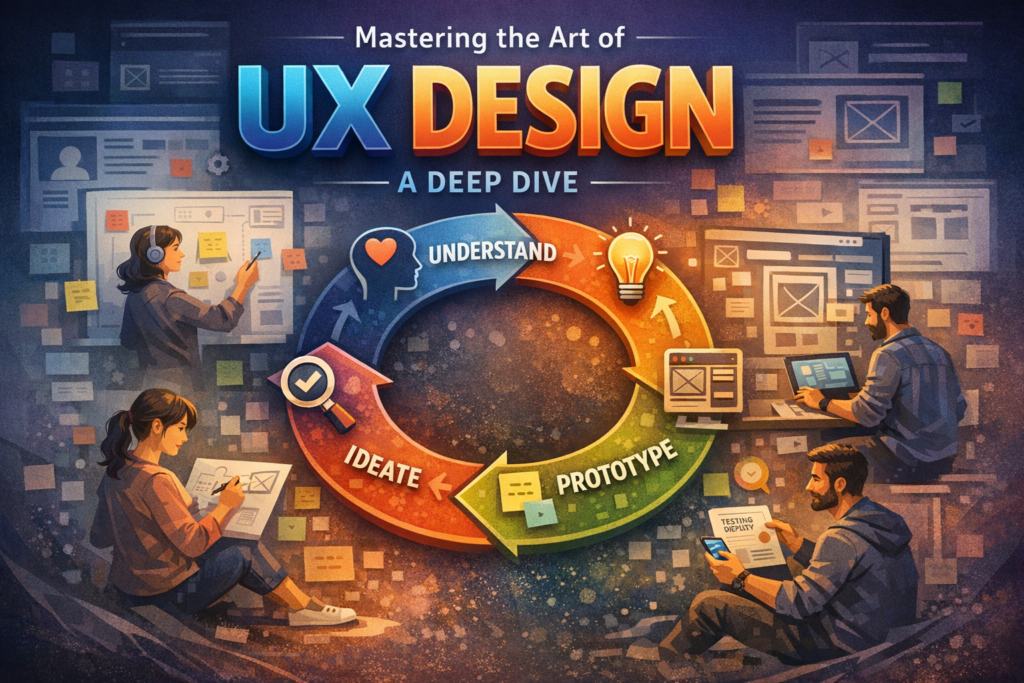
Effective UX design requires a systematic approach, rooted in empathy and iterative improvement. It’s a continuous cycle of understanding, ideating, prototyping, and testing.
1. User Research: The Foundation of Empathy
Before any design work begins, understanding the user is paramount. This involves:
- Quantitative Research: Surveys, analytics data, A/B testing to gather measurable data on user behavior.
- Qualitative Research: Interviews, focus groups, ethnographic studies (observing users in their natural environment) to understand motivations, attitudes, and pain points.
- Persona Creation: Developing fictional representations of your key user segments based on research data, including their goals, needs, and behaviors.
- User Journey Mapping: Visualizing the entire process a user goes through to achieve a goal, identifying touchpoints, emotions, and pain points along the way.
2. Information Architecture (IA): Structuring for Clarity
IA is about organizing content in a logical and intuitive way. It ensures users can find what they need without frustration. Techniques include:
- Card Sorting: Users group and label content, revealing their mental models.
- Tree Testing: Evaluating how easily users can find specific items within a site’s hierarchy.
- Sitemaps and User Flows: Visualizing the structure of the product and the paths users will take to complete tasks.
3. Wireframing and Prototyping: Bringing Ideas to Life
These are crucial steps for visualizing and testing design concepts early and cheaply.
- Wireframes (Low-Fidelity): Basic visual guides that represent the skeletal framework of a webpage or app. They focus on layout, content placement, and functionality, without visual details.
- Mockups (Mid-Fidelity): Static, visual representations of a user interface, incorporating more visual details like colors, typography, and imagery, but still not interactive.
- Prototypes (High-Fidelity): Interactive models of the product that simulate the final user experience. They allow for testing of user flows, interactions, and overall usability before development begins.
4. Usability Testing: Validating and Iterating
This is where designs are put to the test with real users to identify flaws and areas for improvement. It’s an iterative process:
- Formative Testing: Conducted early and throughout the design process to inform design decisions.
- Summative Testing: Conducted at the end of a design cycle to evaluate the overall usability and effectiveness of the product.
- A/B Testing: Comparing two versions of a design element (e.g., button color, headline) to see which performs better with users.
5. Interaction Design (IxD): Defining the Conversation
IxD focuses on how users interact with the product and how the product responds. This includes designing:
- Gestures: Swipes, taps, pinches on mobile devices.
- Animations: Transitions between screens, micro-interactions for feedback.
- Feedback Mechanisms: Visual or auditory cues that confirm an action or provide status updates.
Mastering these aspects of UX design ensures that the digital products you create are not just usable but truly delightful and effective for their intended audience.
The Essential Toolkit for UI/UX Designers
To effectively implement UI/UX principles, designers rely on a suite of powerful tools and methodologies. Familiarity with these is a cornerstone of professional practice.
Design Software
- Figma: A cloud-based design tool renowned for its collaborative features, allowing multiple designers to work on the same file simultaneously. It’s excellent for UI design, prototyping, and even basic wireframing.
- Sketch: A popular vector graphics editor primarily used for UI and UX design, known for its extensive plugin ecosystem and ease of use on macOS.
- Adobe XD: Part of the Adobe Creative Cloud suite, offering robust features for UI design, wireframing, prototyping, and collaboration, integrating well with other Adobe products.
- Miro/Whimsical: Online whiteboarding tools invaluable for brainstorming, user flow mapping, and collaborative ideation sessions.
Methodologies and Frameworks
- Design Thinking: A human-centered approach to innovation that emphasizes empathy, ideation, prototyping, and testing to solve complex problems.
- Agile Development: An iterative and incremental approach to project management, often integrated into design workflows to allow for flexibility and continuous improvement.
- Lean UX: A methodology focused on rapid experimentation and iteration, prioritizing learning over extensive documentation, and getting designs into users’ hands quickly.
Proficiency in these tools and methodologies will not only enhance your design capabilities but also make you a more versatile and valuable asset in any design team.
Navigating Your Learning Journey: Why Choose Login 360?
Embarking on a career in UI/UX design requires more than just theoretical knowledge; it demands practical skills, industry insights, and a supportive learning environment. This is precisely where Login 360, a premier IT training institute based in Chennai, distinguishes itself. We understand the aspirations of students and professionals looking to transition into this dynamic field, and we’ve tailored our . Learn UI UX Design course to meet these needs comprehensively and affordably.
Our Unique Selling Proposition: Affordability and Accessibility
At Login 360, our core mission is to make high-quality IT education accessible to everyone. We firmly believe that financial constraints should not be a barrier to pursuing a rewarding career. Our UI/UX design program is competitively priced, offering exceptional value without compromising on the depth and breadth of the curriculum. This commitment to affordability ensures that more individuals in Chennai can learn UI UX design and unlock their full potential, contributing to the local and global tech landscape.
Comprehensive Curriculum: From Fundamentals to Advanced Mastery
Our meticulously designed curriculum covers every facet of UI/UX design, ensuring a holistic understanding and practical proficiency. You won’t just learn what UI/UX is, but how to apply it effectively in real-world scenarios. Key modules include:
- Introduction to UI/UX Principles: Laying a strong theoretical foundation.
- User Research Techniques: Mastering qualitative and quantitative methods.
- Information Architecture and Content Strategy: Structuring digital experiences logically.
- Wireframing, Prototyping, and User Flows: Hands-on experience with industry-standard tools like Figma, Sketch, and Adobe XD.
- Visual Design and Branding: Developing aesthetic sensibilities and creating compelling visual interfaces.
- Interaction Design and Animation: Crafting engaging and responsive user interactions.
- Usability Testing and A/B Testing: Validating designs and iterating based on user feedback.
- Accessibility Design: Ensuring inclusive design practices for all users.
- Portfolio Development: Guidance on creating a compelling portfolio that showcases your skills and projects.
- Industry Best Practices and Trends: Staying updated with the latest in design thinking and methodologies.
Expert Instructors with Real-World Experience
Behind every successful UI/UX career transition is the right guidance, and that’s where expert-led training makes a real difference. At Login 360, learners are mentored by industry professionals who bring real-world product design experience into the classroom—one senior instructor with over 8+ years in SaaS design often shares, “We don’t just teach tools, we train students to think like designers solving real business problems.” This philosophy is reflected in hands-on, project-based learning where students work on live case studies such as redesigning e-commerce user journeys or improving mobile app usability. For example, a recent student successfully built a complete UI/UX portfolio project for a food delivery app, which directly helped them secure interviews with product-based companies in Chennai. Beyond technical skills, the program stands out for its structured career support—resume-building workshops tailored to design roles, mock interviews with real hiring scenarios, and detailed portfolio reviews that align with current industry expectations. Through dedicated placement assistance and connections with Chennai-based startups and tech firms, students are not just trained—they are strategically positioned to step into high-demand UI/UX roles with confidence.
Practical, Hands-on Project-Based Learning
We believe in learning by doing. Our course emphasizes hands-on projects, enabling you to apply concepts learned in lectures to actual design challenges. You’ll work on individual and group projects, simulating real-world design sprints from initial research to final prototype. This project-centric approach helps you build a robust portfolio even before you step into your first job interview, giving you a significant edge.
Career Support and Placement Assistance
Your success is our priority. Login 360 provides dedicated career support services to help you transition smoothly into the industry. This includes:
- Resume Building Workshops: Crafting impactful resumes that highlight your UI/UX skills.
- Interview Preparation: Mock interviews and guidance on answering technical and behavioral questions specific to design roles.
- Portfolio Reviews: Expert feedback to refine your design portfolio, making it attractive to potential employers.
- Placement Assistance: Connecting you with leading companies in Chennai and beyond that are actively seeking skilled UI/UX designers.
By choosing Login 360, you’re not just enrolling in a course; you’re investing in a career transformation, backed by affordable education, expert guidance, and robust career support. It’s truly a chance you don’t want to miss to learn UI UX design and begin building stunning designs that make an impact.
Building Your Portfolio: Your Gateway to Success
In the world of design, your portfolio is your most powerful tool. It’s not just a collection of your work; it’s a narrative that demonstrates your design process, problem-solving abilities, and the impact of your solutions. A strong portfolio is what gets you interviews and ultimately, job offers.
At Login 360, we place significant emphasis on portfolio development. Throughout the course, you’ll complete several projects that are tailor-made to be included in your professional portfolio. We guide you on:
- Project Selection: Choosing diverse projects that showcase a range of skills (e.g., mobile app, web platform, redesign).
- Process Documentation: Clearly articulating your design process, from user research and ideation to wireframing, prototyping, and testing. Employers want to see how you think, not just the final output.
Impact Measurement: Quantifying the results of your design decisions where possible